Comparison
Nova vs Wispr Flow: two rewriting dictation tools, two philosophies
Updated July 16, 2026 · 5 min read
Nova and Wispr Flow make the same promise: you speak, and clean text appears — not a verbatim transcript to fix. Wispr Flow is the best-known player in the category, and it is a good product. The difference between the two is not cosmetic: it is an architecture choice that decides who hears your voice.
- Wispr Flow processes every dictation on its servers: excellent output, multi-platform — but your voice leaves your machine, and you need a network connection.
- Nova processes your voice on your computer, offline by default: full privacy, works anywhere, French-first, native Windows.
- Price: Wispr $15/month ($144/yr). Nova: free with no time limit, Pro at €4.99/month or €49/year.
Head to head
| Nova | Wispr Flow | |
|---|---|---|
| Where your voice is processed | On your PC (offline by default) | On their servers (network required) |
| Platforms | Windows (native) | Mac, Windows, iPhone, Android |
| Rewriting | 7 Styles + active-app detection | Tone adapted to the app |
| French | French-first | Decent (English-first product) |
| Free plan | Unlimited dictation, 3 Styles, never expires | 2,000 words per week |
| Price | €4.99/mo · €49/yr | $15/mo · $144/yr |
| Trial | 14 days of Pro at install, no card | Limited free plan |
The fundamental difference: where your voice goes
When you dictate with Wispr Flow, the audio travels to the vendor's servers — that is what makes it multi-platform and light to install. In exchange: you need a network, and every sentence you speak — email drafts, meeting notes, half-formed ideas — passes through infrastructure you do not control, generally outside Europe.
Nova makes the opposite choice: the Private Intelligence engine transcribes and rewrites on your computer. Nothing goes online, there is no account to create, and dictation works on a train, on a plane, or in an office with an air-gapped network. For an individual, that is comfort; for a lawyer, a clinician or an accountant, it is the condition for dictating at all.
When Wispr Flow is the right choice
Let us be honest: if you work on a Mac and an iPhone as much as on Windows, dictate mostly in English, and none of your dictations are confidential, Wispr Flow is an excellent tool — polished, fast, well integrated. Its tone adaptation is convincing, and its multi-device ecosystem has no equivalent in Nova, which is deliberately focused on Windows.
When Nova is the right choice
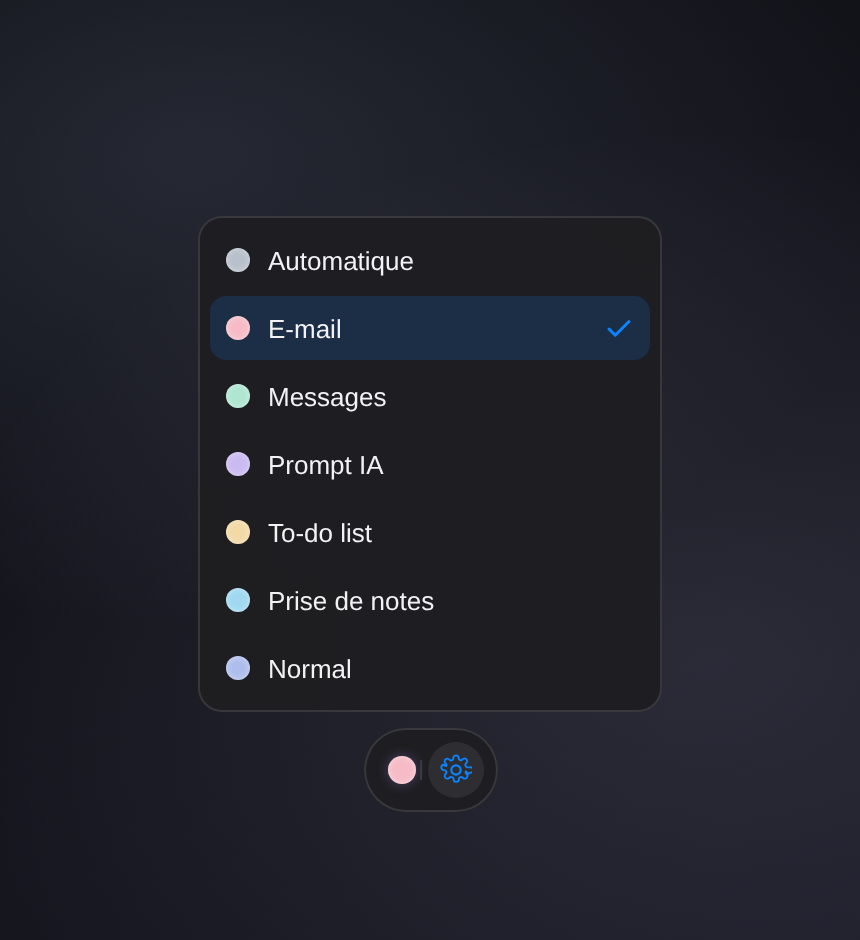
If your work machine is a Windows PC, Nova is at home there: native, discreet, with a bubble that listens while you hold a key and pastes the finished text right where you were writing. The seven Styles (Email, AI Prompt, To-do, Notes, Messages…) are picked automatically based on the active app. And French is not a "supported language" here: it is the design language — email greetings, punctuation and phrasing are native.
The economics are simple too: the free plan never expires (unlimited dictation, three Styles), Pro costs €49/year — over 60% less than Wispr — and the first 14 days of Pro are included at install, no credit card.
Frequently asked questions
Does Wispr Flow work offline?
No — without a connection, dictation does not work, since processing happens on its servers. Nova works offline by default.
Is Nova's rewriting as good as Wispr's?
In French, Nova has home-field advantage: Styles built for francophone use, native phrasing. In English, both produce clean text; Wispr has more years of polish on micro-details, Nova compensates with power profiles (Nova Air, Aura, Apex) tuned to your machine.
Can I try both and compare?
Yes, and that is the right method: both have a free tier. Dictate the same email in each and compare the result — and watch what goes over the network while you speak.
Is there a commitment?
Neither has one: monthly or annual subscriptions, cancellable anytime. With Nova, one license covers two computers and the subscription is managed from a standard billing portal.
Run the test yourself.
Dictate the same message in both — and
see which one keeps your voice at home.
Free, no account or credit card · Windows 10/11 · see pricing